
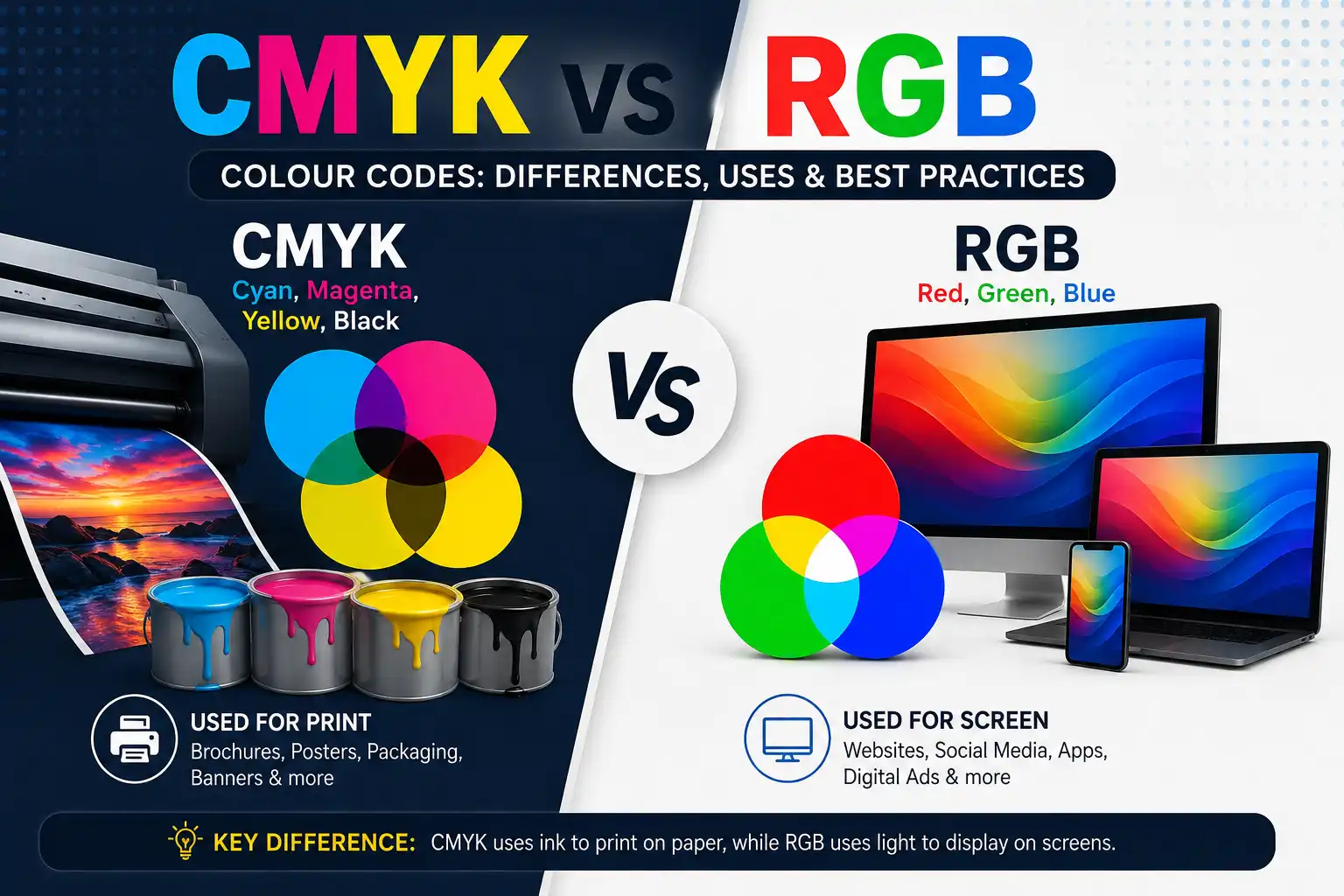
Choosing the right colour format is an important part of graphic design, printing, branding, and digital marketing. Two of the most commonly used colour systems are RGB and CMYK.
Although both are used to represent colours, they work in completely different ways. RGB is primarily designed for digital screens, while CMYK is mainly used for physical printing.
Understanding the difference between CMYK vs RGB colour codes can help you avoid colour inconsistencies between your digital designs and printed materials.
What Is RGB?
RGB stands for Red, Green, and Blue.
It is an additive colour model used primarily for digital displays such as:
- Websites
- Mobile phones
- Computer screens
- Television screens
- Social media graphics
- Digital advertisements
- Presentations
- Apps
RGB creates colours by combining different levels of red, green, and blue light.
Each colour channel generally ranges from 0 to 255.
For example:
- RGB (255, 0, 0) = Red
- RGB (0, 255, 0) = Green
- RGB (0, 0, 255) = Blue
- RGB (255, 255, 255) = White
- RGB (0, 0, 0) = Black
Because screens emit light, RGB can produce very bright and vibrant colours.
What Is CMYK?
CMYK stands for Cyan, Magenta, Yellow, and Key (Black).
CMYK is a subtractive colour model primarily used for printing.
It is commonly used for:
- Business cards
- Brochures
- Flyers
- Posters
- Banners
- Packaging
- Visiting cards
- Newspapers
- Printed advertisements
- Flags and promotional materials
Instead of producing colours using light, CMYK uses layers of ink. Different percentages of cyan, magenta, yellow, and black are combined to reproduce colours on a physical surface.
CMYK values are generally represented as percentages from 0% to 100%.
For example:
- C=0 M=100 Y=100 K=0 = Red
- C=100 M=0 Y=100 K=0 = Green
- C=100 M=100 Y=0 K=0 = Blue
- C=0 M=0 Y=0 K=100 = Black
- C=0 M=0 Y=0 K=0 = White
CMYK vs RGB: The Main Difference
The biggest difference between RGB and CMYK is how they create colour.
RGB uses light, while CMYK uses ink.
| Feature | RGB | CMYK |
|---|---|---|
| Full Form | Red, Green, Blue | Cyan, Magenta, Yellow, Key |
| Colour Type | Additive | Subtractive |
| Mainly Used For | Digital displays | Printing |
| Values | 0–255 | 0–100% |
| Best For | Websites, social media, screens | Flyers, brochures, packaging, banners |
| Colour Range | Wider | More limited |
| Bright Colours | Excellent | More difficult to reproduce |
| Physical Printing | Not recommended as final colour mode | Recommended |
Why Do RGB and CMYK Colours Look Different?
One of the most common problems designers face is that a colour looks different on the screen compared to the printed material.
This happens because screens and printers create colours differently.
For example, a bright neon orange may look extremely vibrant in RGB because your monitor is producing light. When that same colour is converted to CMYK and printed, it may appear slightly darker, less saturated, or different in tone.
This is not necessarily a printing error.
It is a limitation of the different colour spaces.
RGB Colour Codes and HEX Codes
If you work with websites, you may also come across HEX colour codes.
For example:
#FF6316
This is a HEX colour code that represents an RGB colour.
HEX codes are widely used in:
- Website design
- CSS
- UI/UX design
- Branding
- Digital graphics
For example:
HEX: #FF0000
RGB: 255, 0, 0
Colour: Red
HEX and RGB are closely related because both are primarily used for digital applications.
When Should You Use RGB?
Use RGB when your final design will primarily be viewed on a screen.
RGB is ideal for:
1. Websites
Website graphics, UI elements, banners, icons, and backgrounds should generally be designed in RGB.
2. Social Media
Instagram posts, Facebook graphics, LinkedIn posts, and YouTube thumbnails are digital assets, making RGB the appropriate colour mode.
3. Digital Advertisements
Google Ads, social media advertisements, website banners, and display advertisements are normally prepared using RGB colours.
4. Mobile Applications
App interfaces and digital graphics are displayed on screens, so RGB is the natural choice.
5. Videos
YouTube videos, promotional videos, animations, and other digital video content use colour formats designed for screens.
When Should You Use CMYK?
Use CMYK when your design will be physically printed.
CMYK is commonly used for:
1. Business Cards
Since business cards are physically printed, CMYK helps the printer reproduce the intended colours more accurately.
2. Brochures and Flyers
Marketing materials such as brochures, leaflets, and flyers should generally be prepared in CMYK.
3. Posters and Banners
Large-format printed materials should be prepared according to the printer’s required colour profile, often using CMYK.
4. Packaging
Product boxes, labels, bags, and other packaging materials are typically prepared for CMYK printing.
5. Printed Flags and Promotional Materials
For printed flags and promotional branding materials, colour management is particularly important because brand colours need to remain as consistent as possible across different production processes.
RGB to CMYK Conversion
Designers often create artwork in RGB and later convert it to CMYK for printing.
However, conversion does not always produce an identical colour.
For example:
RGB: 255, 99, 22
may not have an exact visual equivalent in CMYK.
During conversion, the software attempts to find the closest printable colour within the CMYK colour gamut.
This is why it is better to understand the final output before designing.
What Is Colour Gamut?
A colour gamut refers to the range of colours that a particular colour system can reproduce.
RGB generally has access to a wider range of bright and saturated colours than CMYK.
This means some colours that look excellent on a monitor cannot be reproduced exactly using standard printing inks.
These colours are sometimes referred to as out-of-gamut colours for CMYK printing.
How to Choose Between RGB and CMYK
A simple rule is:
Digital = RGB
Print = CMYK
Before starting a project, ask yourself:
“Where will this design be used?”
If it will appear on a website, phone, computer, or social media platform, choose RGB.
If it will be printed on paper, fabric, packaging, signage, or another physical material, check the printer’s requirements and generally prepare the artwork in CMYK or the specified print colour profile.
RGB vs CMYK for Branding
Branding makes colour consistency especially important.
A company may have a specific orange, blue, red, or green as its brand colour. That colour can have:
- HEX value for websites
- RGB value for digital graphics
- CMYK value for printing
- Pantone reference for certain print applications
For example, a brand might maintain a colour specification like:
Digital: #FF6316
RGB: 255, 99, 22
Print: Approved CMYK equivalent
Maintaining a proper colour guide helps designers, printers, developers, and marketing teams maintain consistency.
Common RGB and CMYK Mistakes
Mistake 1: Designing Everything in RGB
RGB is excellent for digital graphics, but a printer may require a different colour mode or profile.
Mistake 2: Expecting Printed Colours to Look Exactly Like the Screen
Your monitor uses light, while printing uses physical inks or other colourants. The final result can therefore vary.
Mistake 3: Converting at the Last Minute
Last-minute RGB-to-CMYK conversion can unexpectedly change colours. It is better to check the print requirements before finalising the artwork.
Mistake 4: Ignoring the Printer’s Requirements
Different printing methods and materials can require different colour profiles. Always confirm the printer’s specifications before sending the final artwork.
RGB vs CMYK: Which Is Better?
Neither colour model is universally better.
They are designed for different purposes.
RGB is better for digital experiences because it can produce vibrant colours using light.
CMYK is better suited to conventional printing because it represents the four primary ink channels used in many printing processes.
The right choice depends entirely on the final output.
Final Thoughts
Understanding CMYK vs RGB colour codes is essential for designers, marketers, printers, website developers, and business owners.
The simplest way to remember the difference is:
RGB = Red, Green, Blue = Screens
CMYK = Cyan, Magenta, Yellow, Black = Print
If you’re designing something for a website, social media, or digital advertising, RGB is usually the right choice. For brochures, business cards, packaging, banners, and other printed materials, CMYK is generally more appropriate.
Most importantly, always check the specifications of your printer or production partner before sending final artwork. This can help prevent unexpected colour changes and ensure that your branding looks as consistent as possible across digital and physical materials.